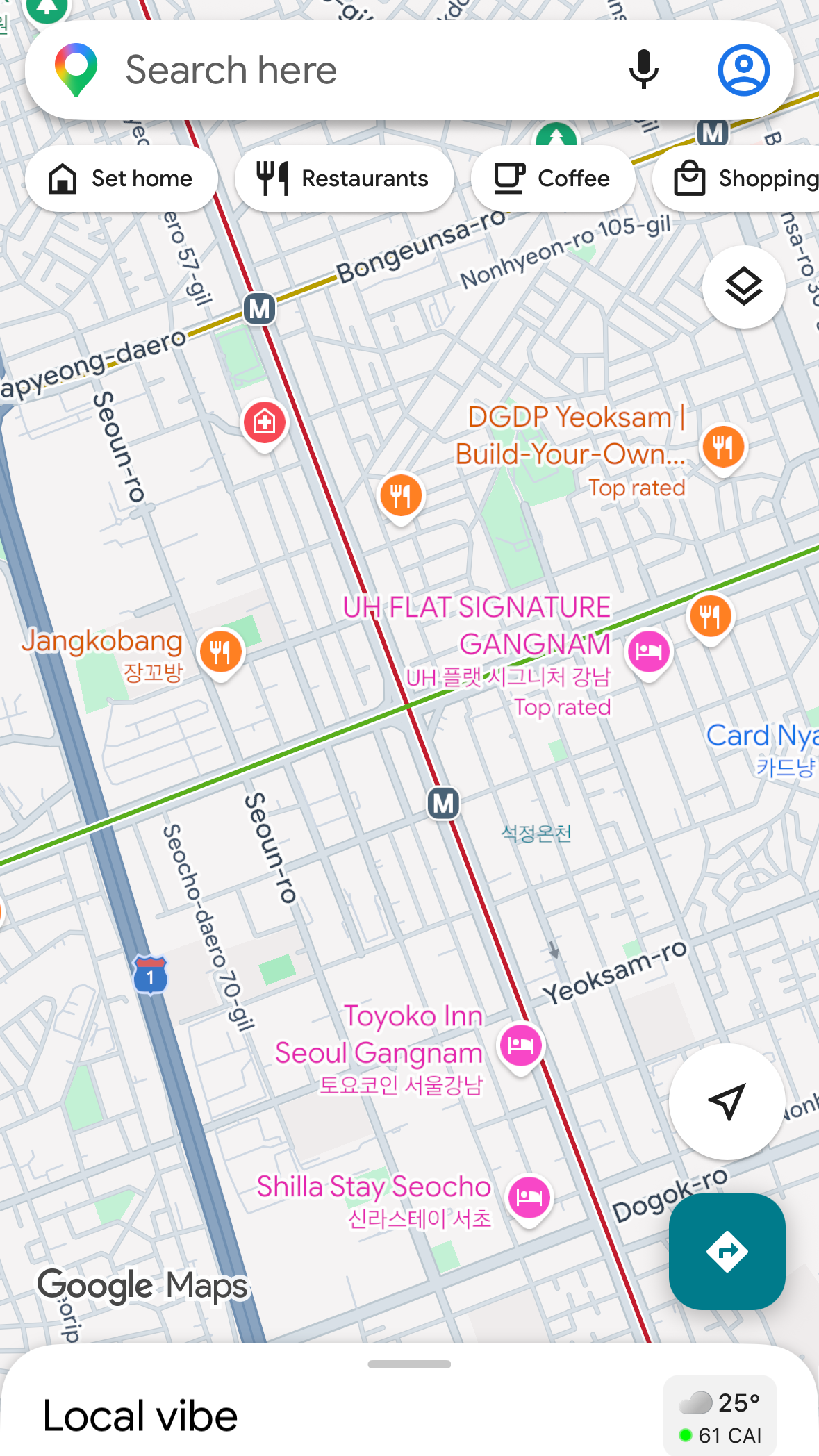
Does Google Maps work in Korea? For navigation — no. You land at Incheon, pull out your phone, type your hotel into Google Maps — and it can’t find a walking route. Welcome to the single most common first shock of a Korea trip: Google Maps in Korea just doesn’t navigate the way it does everywhere else. Here’s the reassuring part, from a local who gets around this city every day: the problem isn’t your phone, and the fix takes five minutes.
The short version: Google Maps in Korea works for browsing but not for navigating. Use Naver Map for walking and finding places, and Kakao Map for public transit. Both are free, both work in English, and neither needs a Korean phone number.

Why Google Maps doesn’t work here
Korea restricts the export of high-precision map data to overseas servers, a rule rooted in national-security law. Because Google processes map data on servers outside Korea, it can’t offer the full navigation it does elsewhere. (This affects Apple Maps too — it’s not a Google-specific glitch.)
Korea did move on this in early 2026, conditionally approving fuller map data for Google — but approval isn’t a working app, and the rollout can take many months. It also won’t fix what slows travelers most: hours, reviews, photos live, and real-time buses on Nave. For a 2026 trip, use the local apps.
Why walking directions aren’t available in Google Maps Korea
If you’ve searched “walking not available” on Google Maps in Seoul, this is why — and it’s the single most common symptom visitors hit. Here’s what actually breaks:
- Walking routes: Google misses Korea’s alleys, stairs, and crossings, so it routes you the long way around big roads — a 5-minute alley shortcut becomes a 20-minute detour. Often it simply shows “walking not available” and gives you nothing at all.
- Bus & transit: incomplete routes and schedules, and no real-time bus data.
- Business info: Korean shops update Naver first, Kakao second, Google last (or never) — so hours and locations are often wrong.
- The wrong exit: Seoul stations have 10+ exits spread over a huge underground area. Google drops you at the station; it won’t tell you Exit 2 vs Exit 10 — and that’s a 15-minute difference.
The fix: Naver Map + Kakao Map
Here’s how locals split the two apps — and it’s worth copying exactly:
Naver Map — walking + finding places. This is the one to install if you install only one. Beyond directions, here’s the part visitors miss: for Koreans, Naver Map is basically a search engine for places. We don’t browse Google — we open Naver Map, type something like “Gangnam restaurants” or “bars near me,” and pick a spot by reading the reviews and photos right there. It has the most complete business listings in Korea, genuinely good English (proper menus, voice guidance, English landmark and subway-exit names), and alley-level walking directions. It even tells you the right subway exit.

Kakao Map — public transit. When you’re taking buses and subways, Kakao Map is the sharper tool: more accurate real-time bus arrivals and faster transfer info. The local power move — at transfer stations it tells you which car to board so you get off right at the stairs or transfer corridor. “Board car 3-1” sounds trivial until you’re hauling a suitcase down a rush-hour platform. (Wondering which card to tap for all these buses and subways? Here’s my guide to choosing between the Climate Card and T-money.)

Taxis — Kakao T. For hailing a cab, Koreans use the Kakao T app. Good news for 2026: Uber now works easily in Seoul too (it calls local taxis), and it runs on your existing account and foreign phone number — a simple option if Kakao T’s setup gives you trouble.
Download Naver Map and Kakao Map at home on Wi-Fi before you fly, and set the language to English while you still have a connection.
Setting Naver Map to English
Naver Map follows your phone’s system language on both iPhone and Android — so the most reliable way is to set your device to English, then relaunch the app. To change it inside Naver Map directly:
- On the first screen, tap the round profile icon next to the search bar.
- Tap the gear (settings) icon at the top right.
- Go to App & Display → Language and choose English.


Place names often show in both English and Korean — that’s intentional. You can show the Korean name to a taxi driver or shopkeeper when needed.
A local’s navigation workflow
Here’s how I actually do it, and how most Koreans do too:
- Search in Naver Map first — type the place or even a category (“Hongdae brunch”), then choose by reviews and photos. If English browsing is easier, discover in Google Maps and copy the Korean name over.
- Use the Korean name as the bridge between apps — it pins the exact branch.
- Follow Naver Map for the real route, the correct exit, and the final walk to the door.
- Screenshot the route before you head out, in case of spotty data.
For getting to a specific spot — say, renting a bike at the Han River or finding a restaurant down a Hongdae alley — this is the difference between arriving relaxed and wandering a block you can’t cross.
A local trick: build your own restaurant map
Naver Map has a favorites (bookmark) feature, just like Google Maps — and lots of Koreans use it to build their own personal map of go-to restaurants and cafes. Save every place you want to try, and your map slowly fills with pins you can pull up anytime.
(There’s even a nickname for this: collecting the saved-place stars is jokingly called “gathering the Dragon Balls,” because the bookmark icon looks like the Dragon Balls from the anime. Fill your map, make a wish.)
When Google Maps is still useful
Don’t delete it. Google Maps is great for trip planning — browsing neighborhoods, saving a rough itinerary — and for satellite and street views to orient yourself before a walk. Think of it as your reference tool, and Naver and Kakao as your on-the-ground navigators.
One thing to sort first: data
These apps need internet — neither offers true offline maps. Get an eSIM or SIM sorted before you arrive so everything works the moment you land, and screenshot key routes on hotel Wi-Fi as backup.
Frequently asked questions
Does Google Maps work in Korea?
For browsing and trip planning, yes — but for live navigation, no. It can’t give reliable walking or driving directions because Korea restricts high-precision map data from leaving the country. Use Naver Map instead.
Does Google Maps work in Seoul?
Same answer — Seoul is no exception. You can view the map, but walking and transit directions won’t work properly. Locals use Naver Map and Kakao Map across the whole country, Seoul included.
Can I use Google Maps in Korea at all?
Yes, just not for navigation. It’s still useful for satellite view, street view, and browsing neighborhoods before you go — treat it as a reference tool, not your on-the-ground navigator.
Why is walking not available on Google Maps in Seoul?
Because Google processes Korean map data on overseas servers, which the country’s map-export rules restrict, Google can’t render turn-by-turn walking routes. It often shows “walking not available.” Naver Map handles walking directions down to the alley.
What’s the best Google Maps alternative in Korea?
Naver Map for walking and finding places, Kakao Map for buses and subways. Both are free, both work in English, and neither needs a Korean phone number.
Is Google Maps going to work in Korea soon?
Maybe, eventually. On February 27, 2026, a Korean government committee conditionally approved sharing the country’s detailed 1:5,000 map data with Google, on the condition it meets strict security rules (like blurring sensitive sites). That scale is precise enough for real street- and alley-level navigation, so the walking-directions gap could close over time. But approval isn’t the same as a live app — the rollout can take many months — and it won’t fix the business info, reviews, and real-time transit that already live on Naver and Kakao. For any trip in 2026, still use the local apps.
Verdict
Google Maps failing in Korea feels alarming for about five minutes — then you install Naver Map, and getting around goes from baffling to genuinely easy. Download Naver Map and Kakao Map before you fly, switch them to English, and you’ll navigate Korea the way locals do instead of fighting the one app that doesn’t work here. It’s the first thing I’d tell any friend visiting — and it works just as well when you head beyond Seoul to Gyeongju as it does downtown.
